
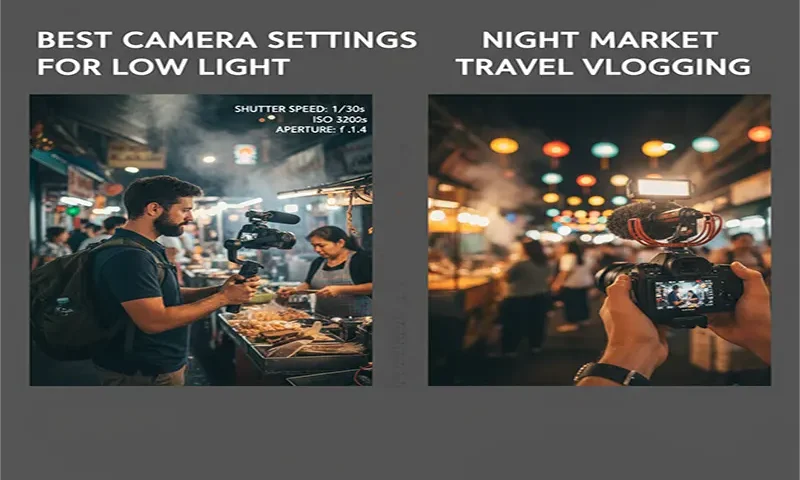
In 2026, the night market is the ultimate proving ground for a travel vlogger. The environment is a chaotic mix of deep shadows and aggressive artificial light from neon signs, hanging LEDs, and gas-burner flames. Capturing this “mood” without your footage looking like a grainy, flickering mess requires moving beyond “Auto” mode.
1. The Exposure Triangle: The Low-Light Hierarchy
When light is scarce, every adjustment comes with a cost. In 2026, the most effective workflow follows the “Aperture First, ISO Last” rule.
The 180-Degree Shutter Rule
For cinematic motion that mimics human vision, your shutter speed should be double your frame rate. In a night market, you want as much light as possible, so stick to the lowest “safe” shutter speed:
- If shooting at 24fps: Set shutter to 1/50th.
- If shooting at 30fps: Set shutter to 1/60th.
- Pro Tip: Avoid high-frame-rate slow motion (like 60fps or 120fps) in markets. It requires double or quadruple the light, forcing your ISO to skyrocket and introducing heavy noise.
Aperture: Wide Open
Set your aperture to the lowest possible number your lens allows (e.g., f/1.4, f/1.8, or f/2.8).
- The Trade-off: While a wide aperture lets in more light, it also creates a very shallow depth of field. In 2026, utilize AI-Subject Tracking (found on the Sony ZV-E10 II or DJI Osmo Pocket 3) to ensure your eyes stay sharp even when you’re moving through a crowded aisle.
ISO: The “Safe” Ceiling
Modern 2026 sensors are incredibly clean, but they aren’t magic.
- Native ISO: Most mirrorless cameras have “Dual Native ISO.” If your footage looks noisy at 1600, jumping to the second native tier (often ISO 3200 or 4000) can actually result in cleaner shadows.
- The Limit: For 1-inch sensors, avoid going over ISO 3200. For Full-Frame, ISO 6400 is usually the sweet spot for usable content.
2. Managing the “Neon Burn”: Exposure Compensation
Night markets are filled with highlights that “clip”—meaning they become pure white holes in your footage. To prevent your favorite neon sign from looking like a white blur:
- Under-expose by Design: Set your Exposure Compensation to -0.3 or -0.7 EV.
- Why? It is much easier to recover shadow detail using 2026 editing tools than it is to recover “blown out” highlights. Keeping your exposure slightly dark preserves the rich, saturated colors of the market’s lights.
3. The Color Battle: Manual White Balance
Auto White Balance (AWB) is the enemy of the night market. As you walk past a blue LED stall to a warm tungsten noodle stand, AWB will cause the “temperature” of your skin to shift wildly from orange to blue.
- The Setting: Lock your White Balance manually.
- The Values: * 3200K – 4000K: Ideal for “Classic” night vibes; keeps street lights looking warm while neutralizing blue tones.
- 5000K: If you want the neon signs to pop with their “true” colors.
- 2026 Hack: Use the Custom WB feature with a neutral gray card (or even a white napkin) under a stall’s light to get a baseline before you start your main “talking head” segment.
4. Stability & Focus in 2026
In 2026, we have tools that make handheld shooting look like a gimbal.
- Active/Dynamic Stabilization: Turn this on, but be aware it usually adds a 1.1x or 1.2x crop. Ensure you have a wide-enough lens (16mm to 20mm equivalent) to account for this.
- AI Focus Tracking: Set your camera to Eye-AF. In a night market, your camera might try to focus on the flickering steam or the person behind you. Locking onto your eyes ensures the audience stays connected to your story.
Night Market Settings Cheat Sheet
| Setting | Recommendation | Why? |
| Frame Rate | 24 fps or 30 fps | Standard cinematic motion; allows more light. |
| Shutter Speed | 1/50 or 1/60 | Follows the 180-degree rule for natural blur. |
| Aperture | f/1.8 – f/2.8 | Maximum light intake; creates “bokeh” background. |
| ISO | Auto (Max 6400) | Let the camera adjust, but set a hard ceiling. |
| White Balance | 3500K (Manual) | Prevents skin tones from shifting under mixed lights. |
| Exp. Comp. | -0.7 EV | Protects highlights (neon signs/LEDs) from clipping. |
5. Post-Production: The 2026 “Secret Weapon”
If you still end up with grainy footage, 2026 AI tools are your best friend.
- In-Edit Denoising: Use DaVinci Resolve’s Voice Isolation and AI NR or Topaz Video AI. These tools can now “clean” high-ISO footage without making it look “plastic” or “mushy.”
- Color Grading: Apply a slight S-Curve to your shadows to deepen the blacks. This hides grain in the darkest parts of the image while making the lights feel punchier.
Embrace the Grit
Technical perfection is great, but the beauty of a night market is its energy. If your footage has a little bit of “noise,” don’t panic—it adds to the raw, authentic feel of street vlogging. Focus on the story, keep your shutter speed locked, and let the neon lights do the work.

